

Functions and Features
SAMPLES is a modern LIMS, ELN and LES. It impresses with its attractive user interface and maximum adaptability to individual requirements. Coupled with the comprehensive functions and a multitude of smart features, it guarantees effective day-to-day laboratory work – even with complex laboratory processes.
award-winning & trendsetting
The most important functionalities
Here you will find a compact overview of the central functions and features of SAMPLES.
Clear & intuitive sample management
Sample management in SAMPLES ensures that samples in various quantities and types can be clearly recorded, clearly identified and retrieved at any time. This allows you to maintain a permanent overview, even with complex sample landscapes.
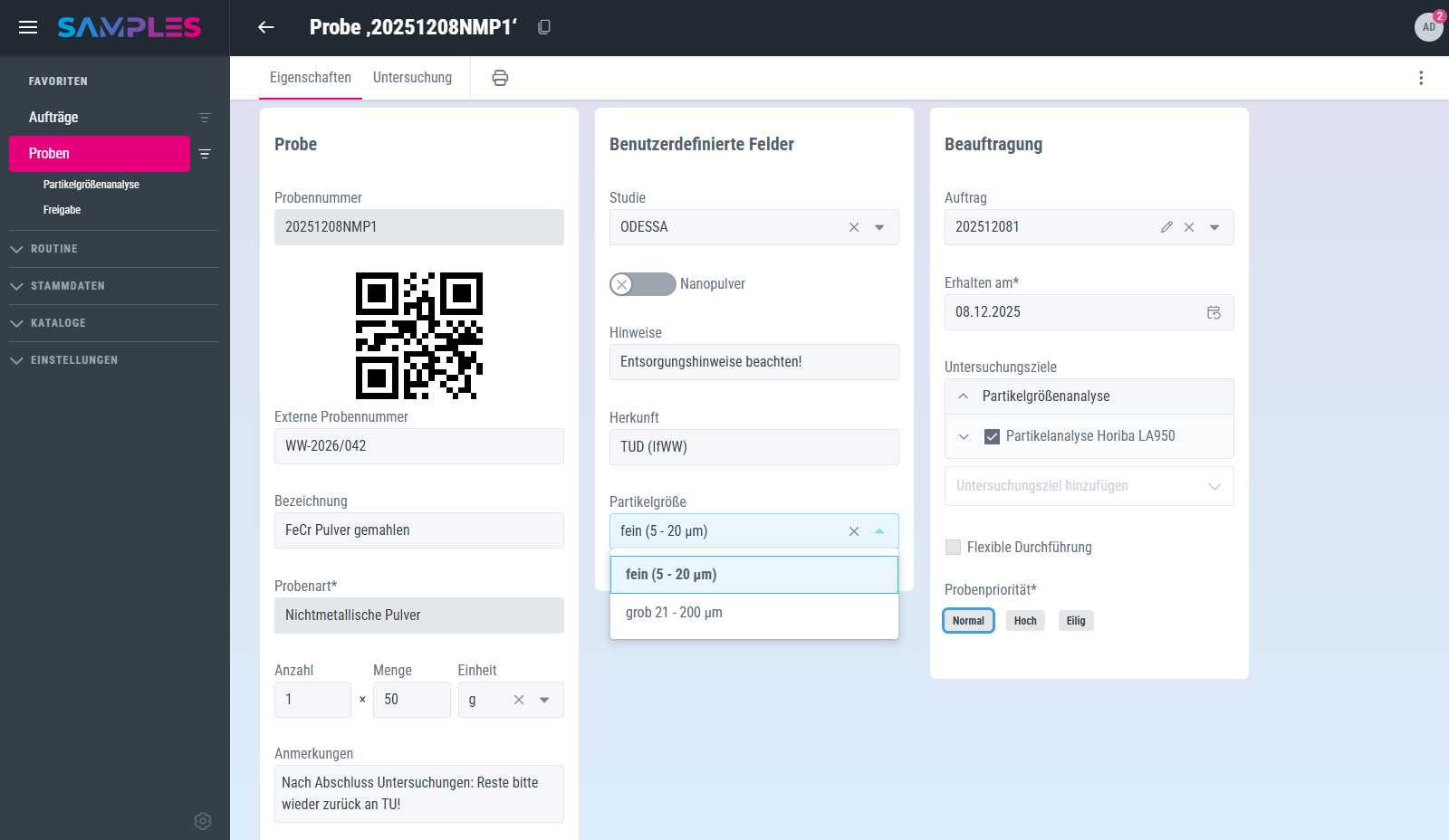
User-friendly & versatile customization
Samples can be created easily and intuitively - individually or in large quantities. Duplicating existing samples is also possible with just a few clicks. The scheme for generating sample numbers is managed by the user administrators themselves and can be flexibly adapted to internal specifications. If necessary, individual sample numbers can be adjusted manually with the corresponding special authorization. Of course, external sample numbers can also be linked, e.g. via barcodes of pre-labeled sample containers.
Samples are differentiated using freely definable sample types. You decide which information is assigned to a sample and to what extent. Additional fields can be added to the sample view at any time - such as catalogs, date fields, file uploads or other parameterizable information.
Integrated label printing is available for labeling, both for individual samples and for several samples at the same time. The label design is completely defined by the user. Physical samples can be found quickly and clearly in the system by scanning the QR code on the label.

Efficiently plan, carry out & document sampling
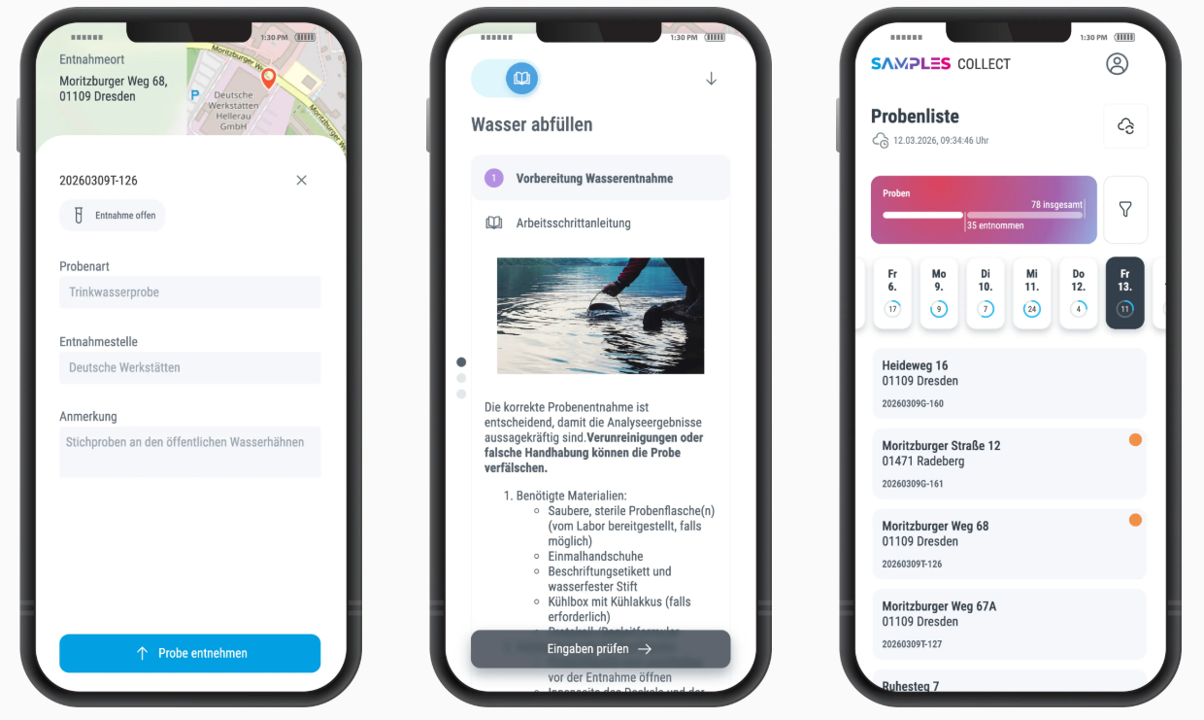
Easy to configure and intuitive to use
Individual sampling methods can be configured flexibly and without technical effort. This allows you to adapt the application precisely to your requirements - regardless of the industry or application.
It can be used conveniently via a browser-based web app - without any installation. Thanks to offline functionality, you can continue to work without an Internet connection and your data synchronizes automatically as soon as you are online again. A filterable sample list ensures maximum overview and focus in day-to-day work. The integrated route planning function also supports you in optimally organizing your assignments on site.
For seamless documentation, functions such as photo documentation and barcode scanning are available directly via the smartphone camera - quickly, intuitively and without media discontinuity.
Editable interactive instructions & SOPs
With the step-by-step instructions in SAMPLES, you can create methods directly in the LIMS and configure them in detail. These methods and SOPs can be safely assisted and reproducibly performed in daily laboratory practice. This not only increases quality, but also saves on training costs.
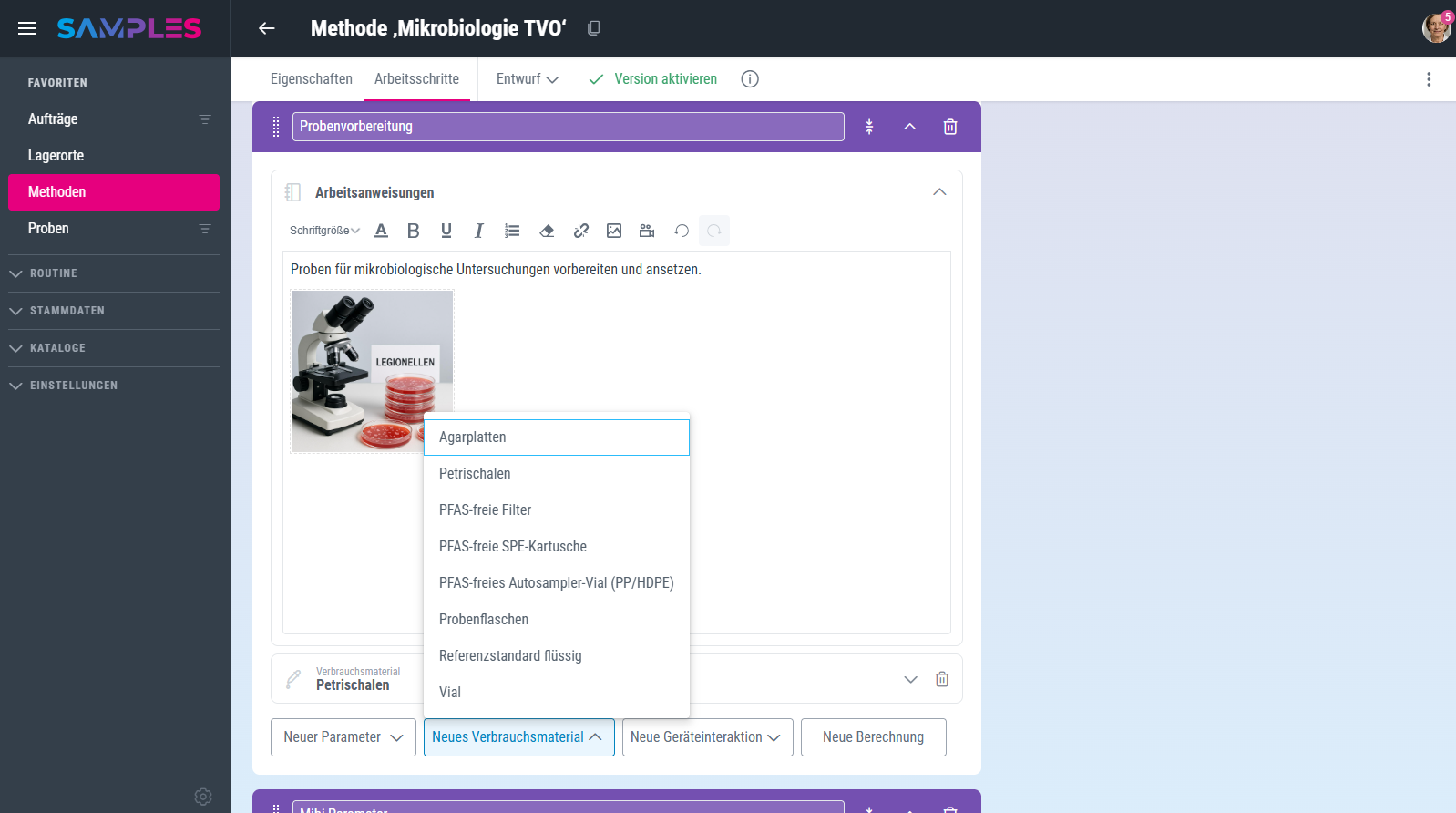
Configuration: Create flexible living SOPs
Instructions are stored in a simple editor and can be supplemented with text, images and videos for each work step. Limit values can be defined for parameter fields, as can the required decimal places for numerical entries. In addition, you can integrate calculations directly into the method so that results are automatically derived from measured values.
You can also define consumables in advance for each work step - including planned consumption. You can also configure device interactions and restrict them to certain function groups if required (e.g. weighing or pipetting).
Methods are explicitly versioned. Changes lead to new versions, while previous versions remain traceable. This makes it transparent at all times which version of the method was used - even in retrospect in the context of results, samples and audit trail.
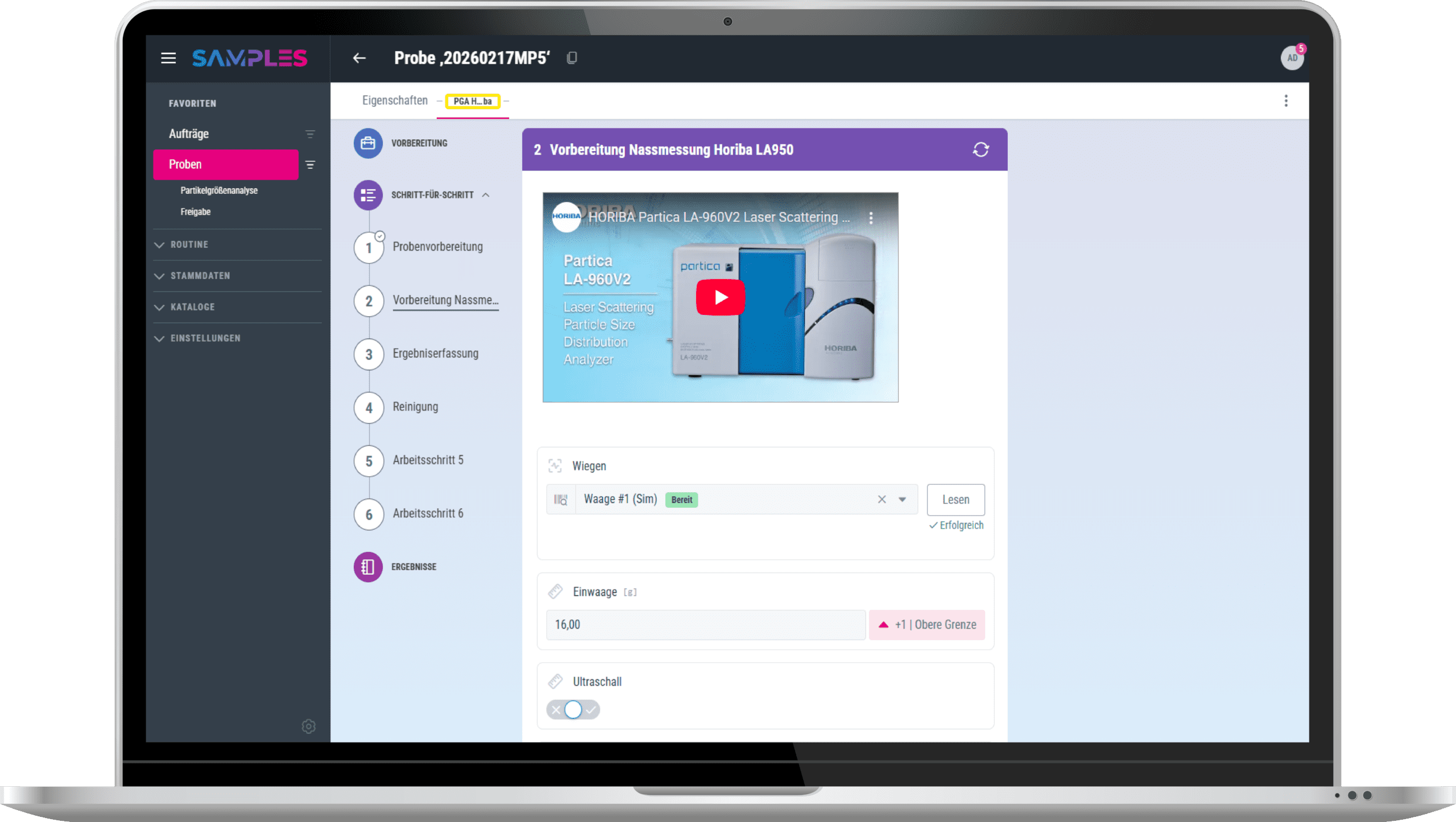
Implementation: Assisted work with direct feedback
The instructions are displayed step by step during implementation. Employees only receive the information that is currently relevant to the respective work step. When entering measured values, immediate feedback is provided if limit values are violated and calculated values are output directly.
The device actually used can be selected from the approved devices. If you use device integration, it is also possible to control functions directly or automatically transfer measured values.
Planned quantities are displayed for consumables and the quantity actually used is optionally documented. In addition, the batch used can be selected to ensure complete traceability.
Fast & flexible warehouse management
The warehouse management system digitally maps physical warehouse structures and thus enables you to carry out fast, error-free and, if desired, automated Storage of samples. Free capacities, occupied seats and rehearsal locations can be tracked transparently at all times.
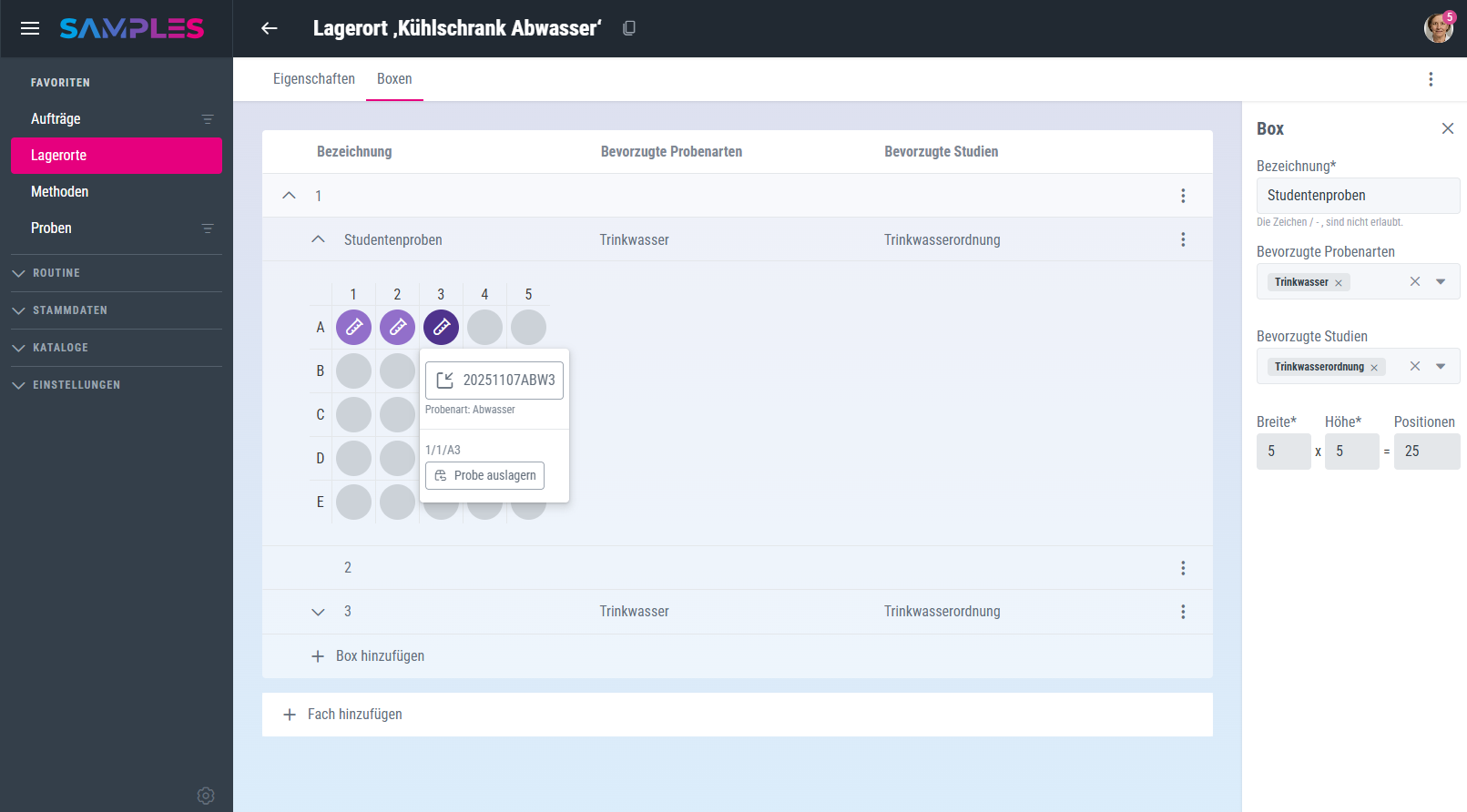
Storage capacities, occupancy and sample locations always in view
With warehouse management in SAMPLES, you can create storage locations easily and intuitively and structure them hierarchically - from storage areas and compartments to individual boxes. Each level can be flexibly enriched with additional information via user-defined fields, such as location, storage temperature, storage type, responsibilities or inventory date. You can sort the storage locations accordingly and display them clearly.
You can define preferred sample types and studies for each storage level. On this basis, it is possible to automatically assign samples to suitable, free storage locations. This supports a consistent and rule-based storage structure - even with large sample quantities.
Storage can be carried out directly in the warehouse view. You can store single or many samples efficiently via scan, and retrieval is also possible at any time from both the storage and sample view. The overview also shows transparently how many storage locations are currently still available. This allows you to maintain an overview of storage capacities, occupancy and sample locations at all times - in a structured, comprehensible and efficient manner.
Device management with full transparency & control
Device management gives you full transparency about the status, the responsibilities and the performance of all laboratory equipment. It supports you in safely integrating devices into methods and evaluating reference measurements in a contextualized manner.
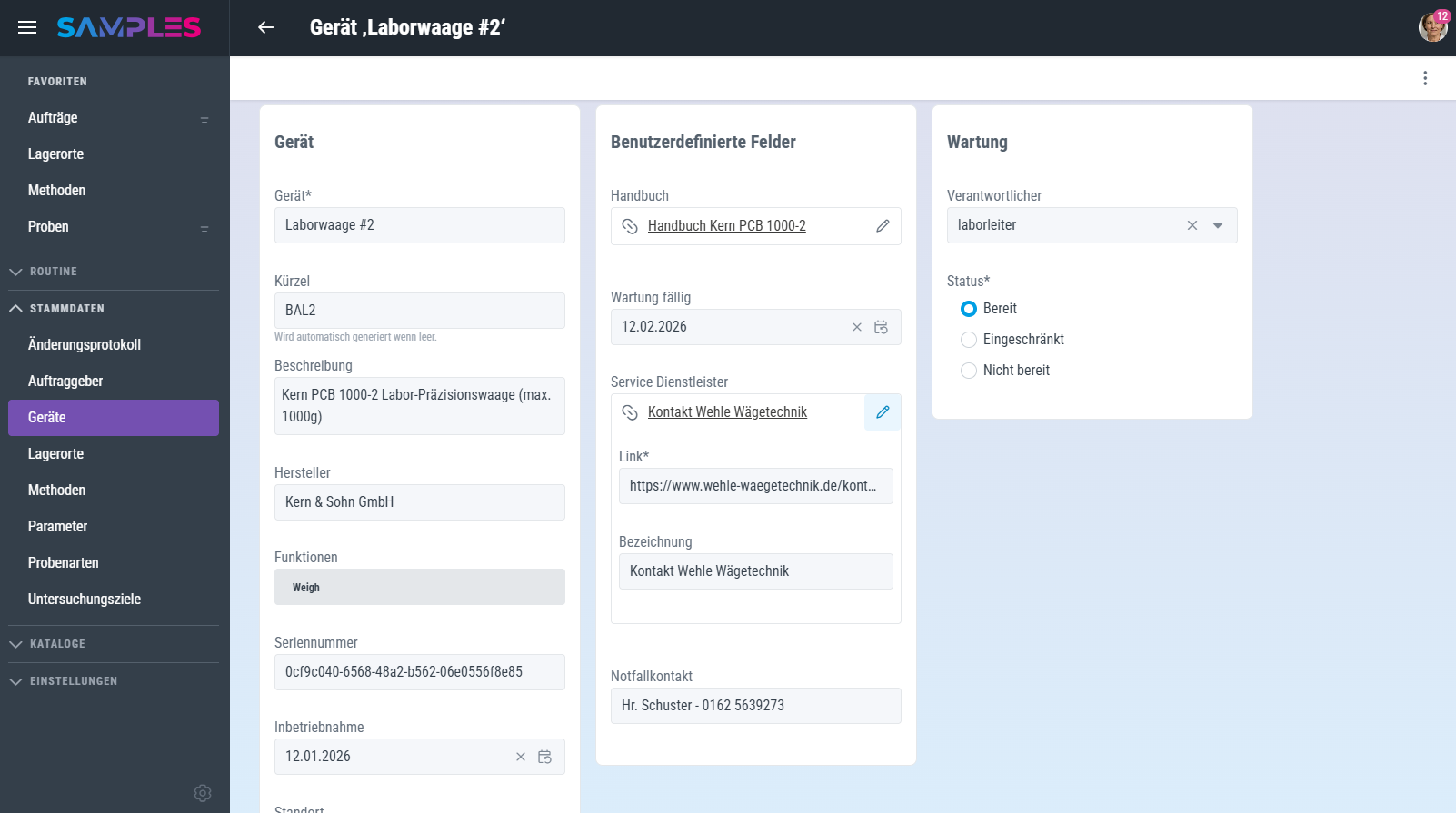
Comprehensive information & easy integration of your laboratory devices
With device management in SAMPLES, you always have an overview, even with a diverse device landscape. Devices can be easily created and flexibly equipped with all relevant information via standard and user-defined fields - such as responsibilities, maintenance dates and protocols, user manuals, safety instructions or service and contact data.
The current device status is managed by the user and can be tracked at any time. Devices can be specifically linked for testing and analysis methods: either as a manual selection of available devices or - with appropriate integration - through to automated device control via various interfaces such as SiLA 2, LADS or Sartorius SBC.
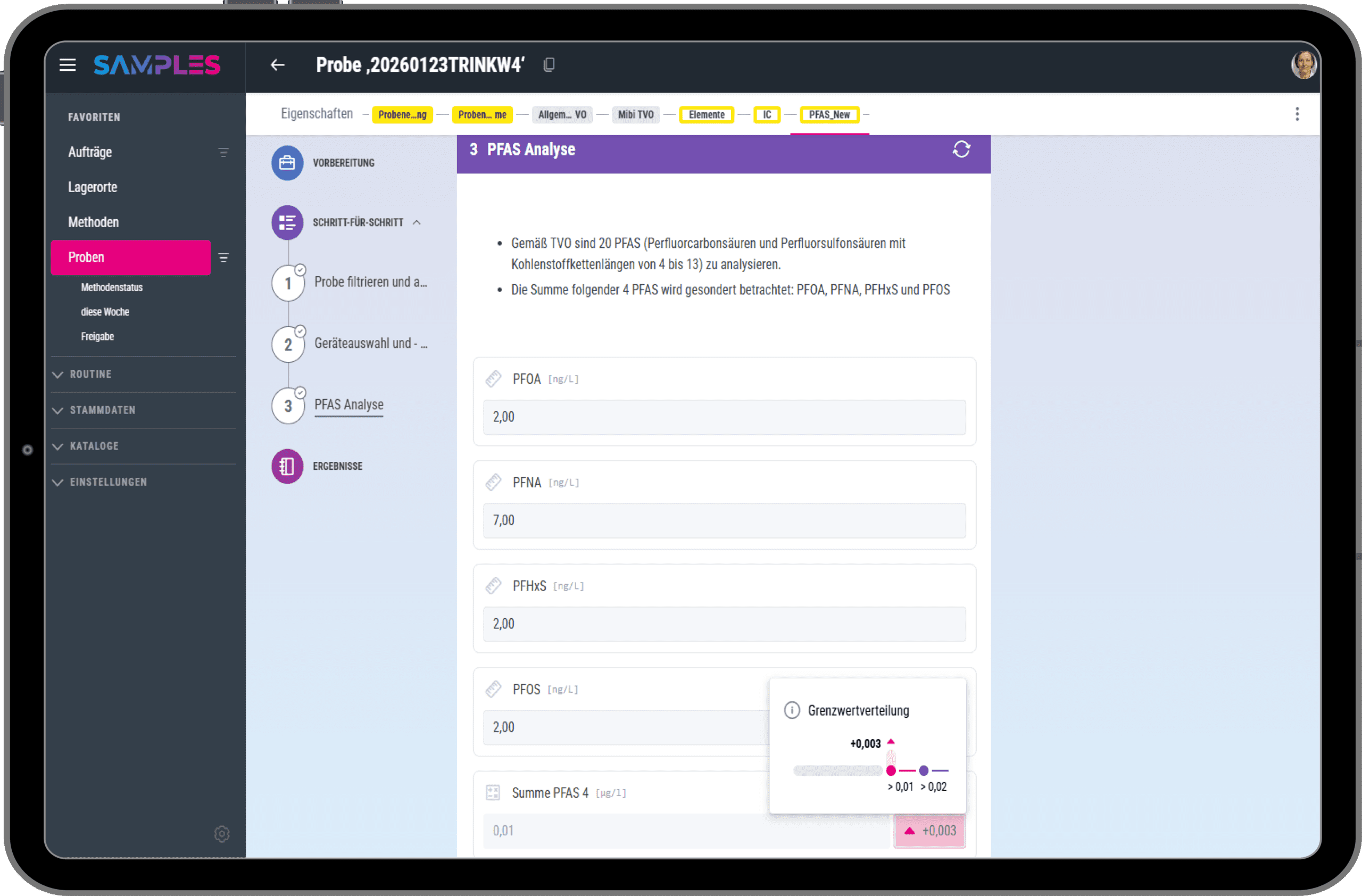
Audit Trail & Compliance for quality and safety
The audit trail makes all relevant changes in the system traceable and verifiable. At the same time, specific authorizations ensure that sensitive information remains protected and compliance requirements are met.
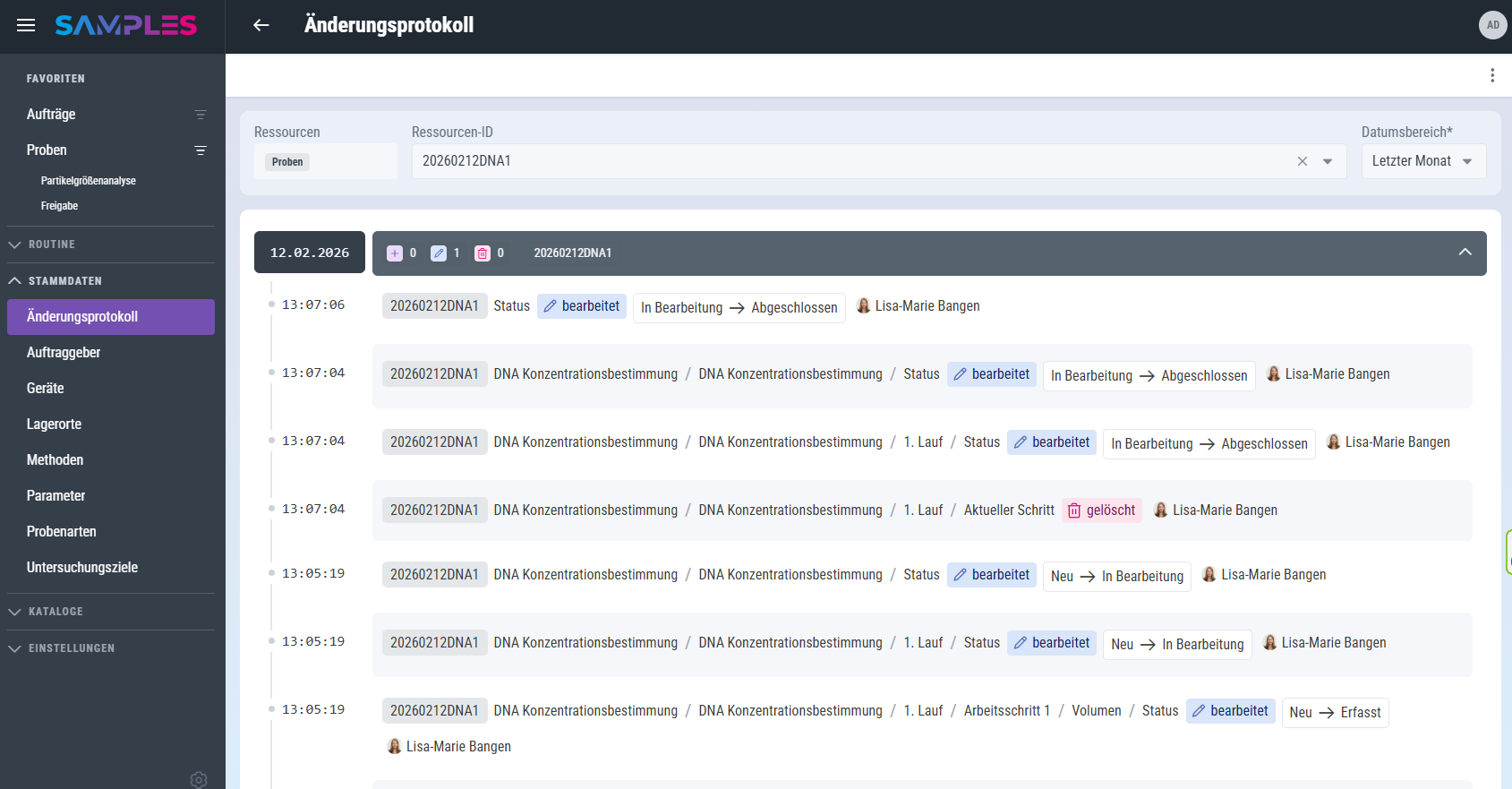
User-friendly and comprehensive
All relevant actions and changes in the system are seamlessly logged in the audit trail. The audit trail is deliberately designed for you as a user: Changes are clearly presented and can be filtered and searched so that correlations can be quickly identified.
Full access to the audit trail is restricted to users with privileged access. Access to personal user or patient data also requires special authorization. This means that data protection requirements, in particular in accordance with the GDPR, are consistently implemented.
Reliable documentation without additional effort
In combination with clearly defined roles, differentiated access rights and versioned methods, SAMPLES creates a reliable basis for compliance, audits and inspections - without additional documentation effort in everyday laboratory work.
Customized user & role management
User and role management allows you to control access and responsibilities flexibly and precisely. Roles and rights can be individually adapted to organizational structures and workflows.
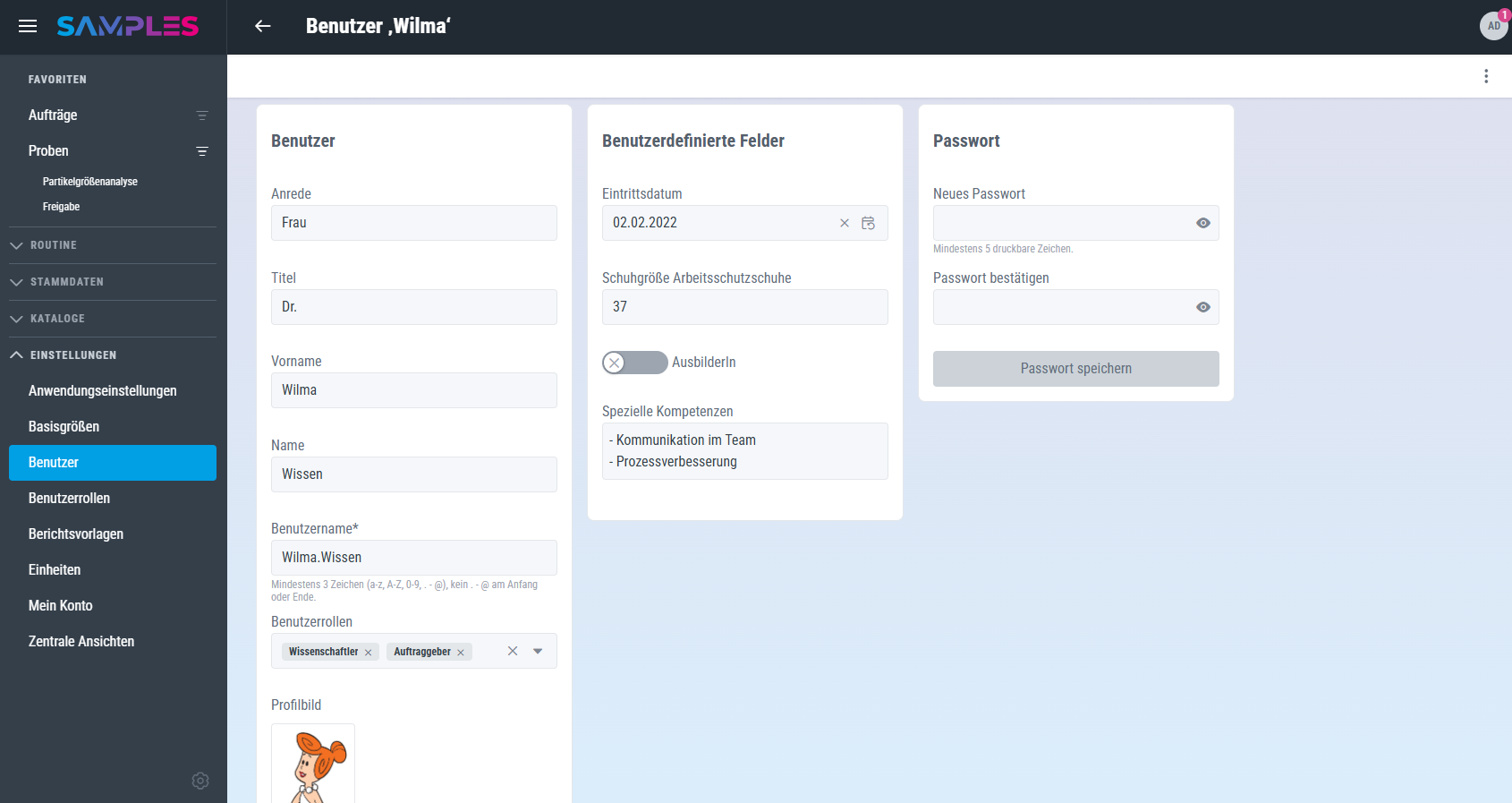
Flexible role models and customizable access rights
In SAMPLES, you can freely define any roles and assign them individual rights. This allows access and editing rights to be adapted precisely to internal organizational structures and responsibilities.
You can flexibly expand user profiles using user-defined fields and add any properties you like - from qualifications and responsibilities to organizational or health and safety-related information. If required, users can also be assigned several roles at the same time.
This creates a finely graduated authorization concept that reliably maps both simple and complex organizational structures and supports secure system operation.
Transparent consumables management
Consumables management ensures that stocks, batches and consumption are documented in a traceable manner at all times. Consumption is with batch reference directly in the context of laboratory work and remain fully traceable.
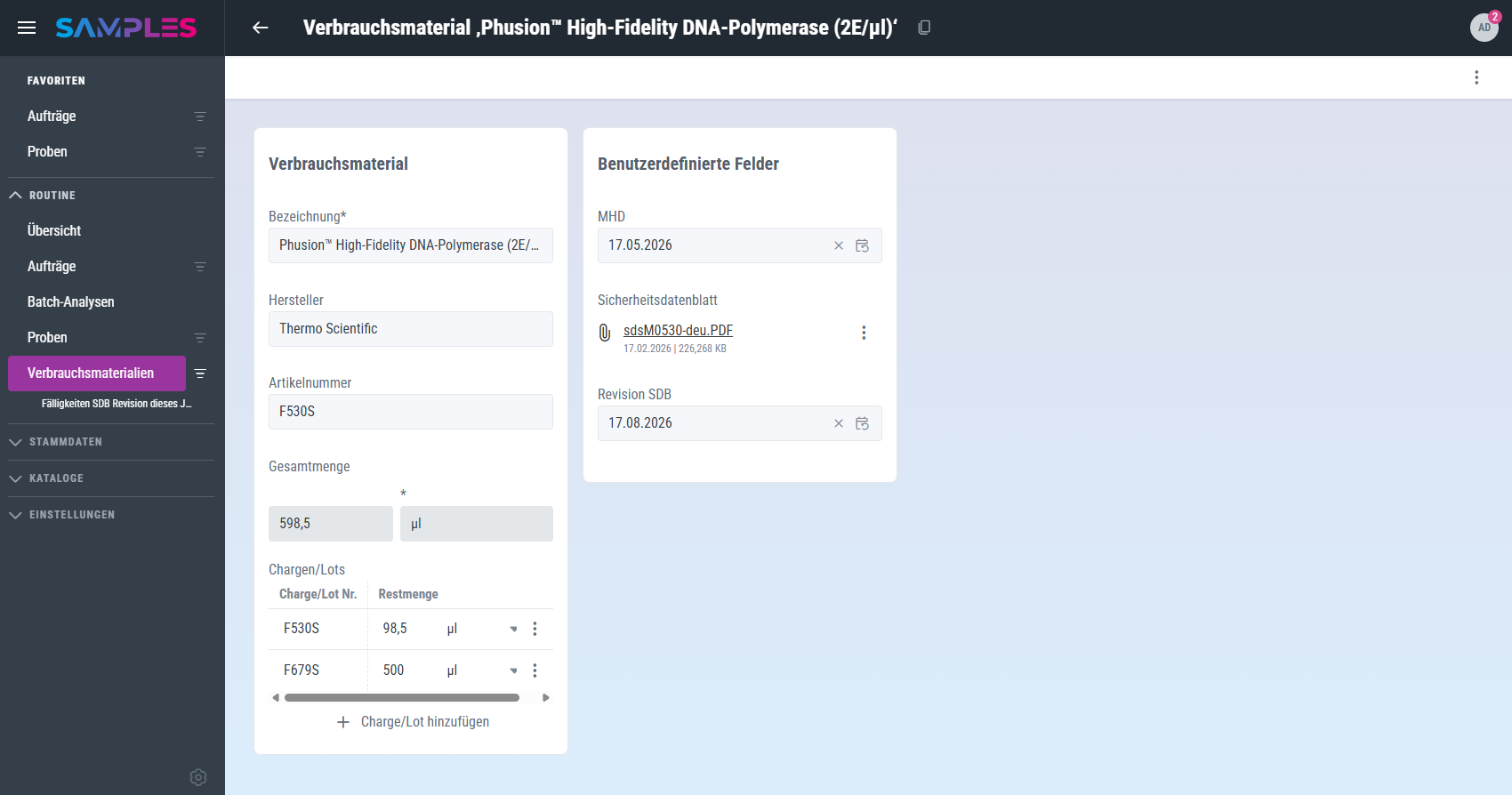
Transparent inventories, documented consumption and complete traceability
Consumables are created centrally in the system and provided with all relevant information via standard and user-defined fields. For each consumable, both the total stock and the stock at batch level are clearly displayed.
Consumables can be assigned to test methods and individual work steps, including planned consumption. During implementation, the actual consumption is recorded in a binding manner. In addition, the batch used is selected to ensure complete traceability.
Stocks and consumption are therefore traceable at all times - both per batch and aggregated per consumable - and are directly linked to the respective method and sample.
Convenient order management
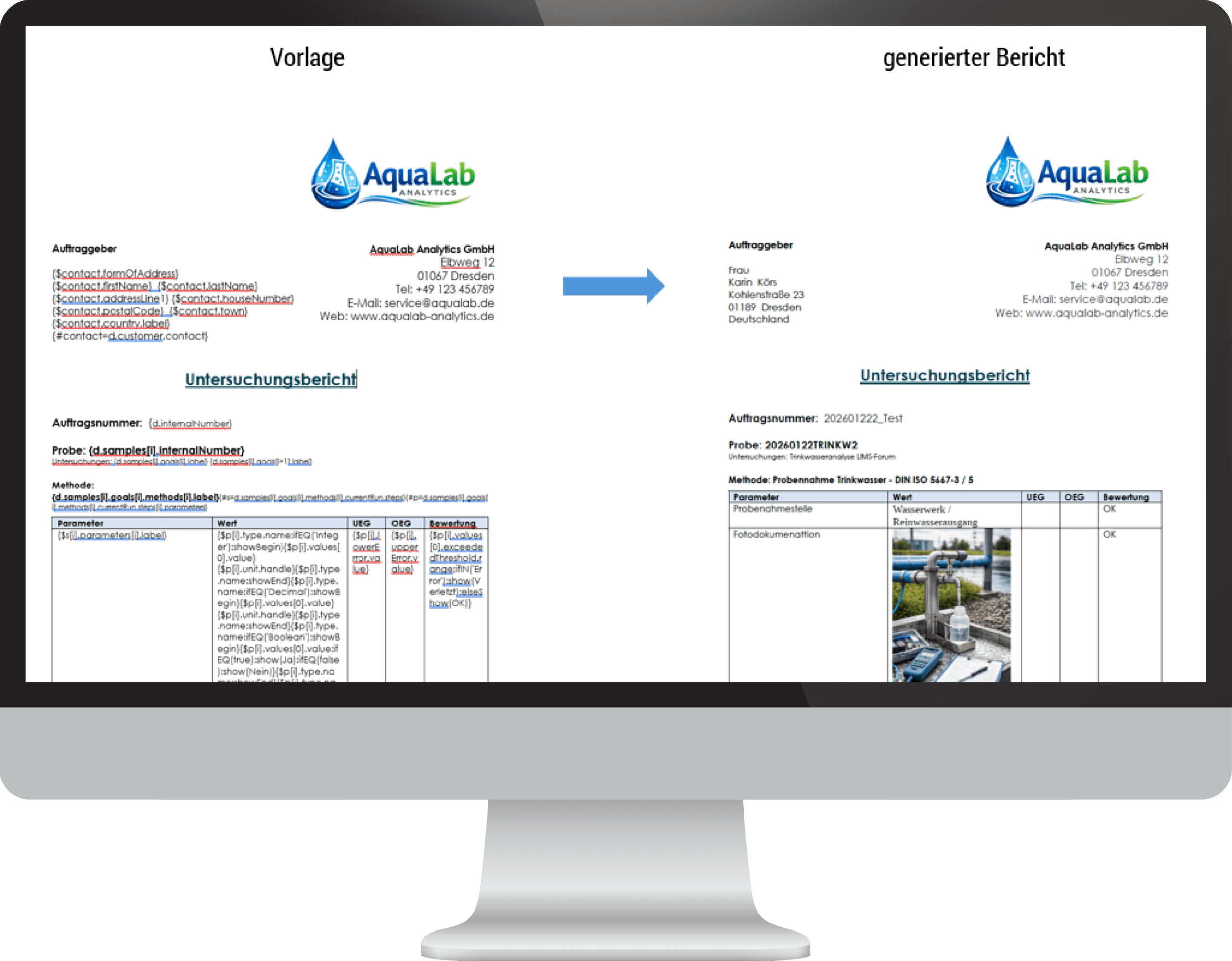
Order management combines clients, samples, tests and reports in a continuous process. The processing status is transparent at all times and test reports can be created automatically and consistently.

Consistently structured - from order creation to the report
You can easily create examination orders or duplicate them from existing orders. Client data is managed centrally in a separate area and can be flexibly enriched with additional information via user-defined fields.
External order numbers, for example from the client or from connected systems, can be stored in the order and clearly linked. Associated samples are directly linked to the order and clearly displayed.
The status of an order is automatically updated based on the processing status of the linked samples and tests. This allows you to see at any time whether an order is being processed, partially completed or fully completed - without manual status maintenance.
-
 for desktop, tablet and mobile devices
 - Simple connection of external tools
- Modern open software architecture
- High level of integrability thanks to GraphQL
- Convenient middleware functionality
- as a flexible cloud solution or on premise


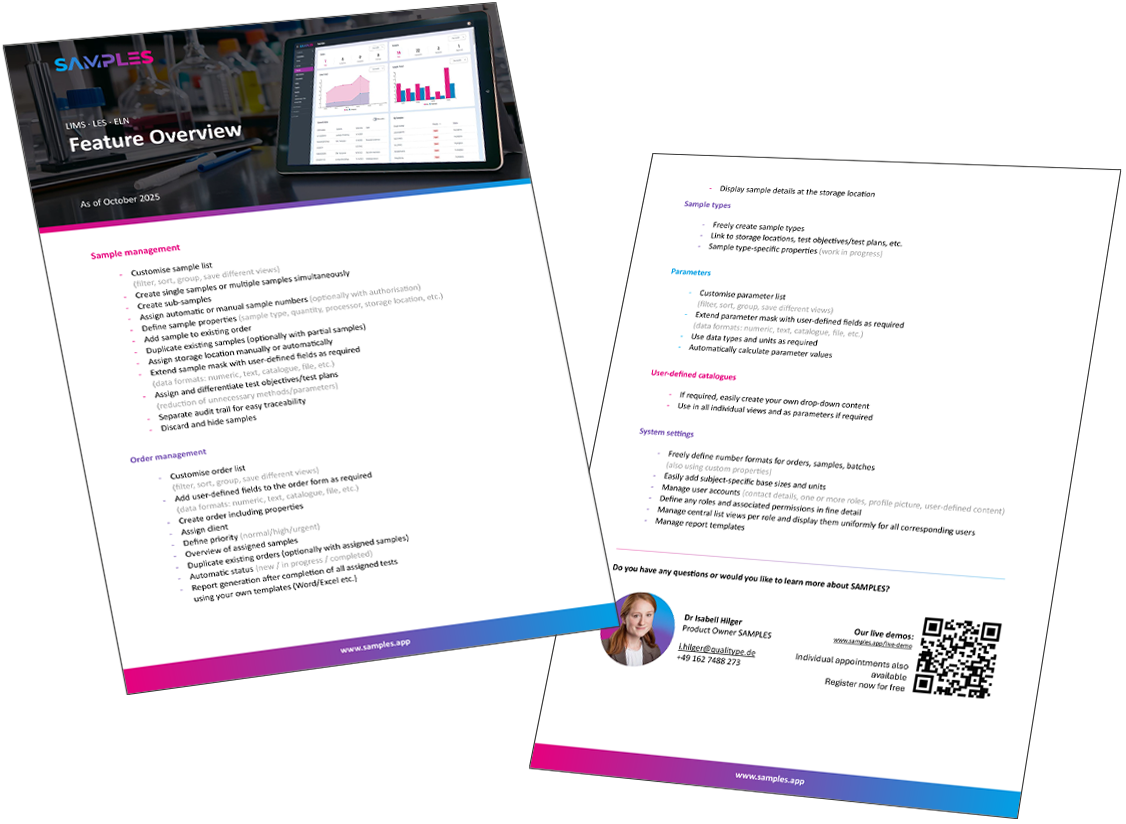
Download feature flyer
We have compiled a categorized overview of the functions and features of SAMPLES for you to download. If you have any questions about these, please do not hesitate to contact us.
Without compromise:
certified data & information security
The protection of your sensitive data is our top priority. With SAMPLES, these are always transparent, verifiable and under your control.
When developing SAMPLES, we act responsibly and with a clear focus on information security. The protection of your data is the focus at all times – technically, organizationally and procedurally.
You also retain full control over hosting: SAMPLES can either be operated securely in the cloud on European servers or on premise on your own servers. You decide which operating model best suits your requirements and framework conditions.
We regularly have external penetration tests carried out to continuously check the security of the platform. The last one took place in December 2025 and confirmed that even professional attackers cannot gain unauthorized access to data.
As a software manufacturer, we are certified in accordance with the current ISO 27001 and also meet the requirements of the NIS2 directive. This means that we also have proven expertise in the field of critical infrastructures and know what is important when it comes to protecting sensitive and business-critical information.
Connection of external tools
Would you also like to use Jupyter Lab, numPy, matPlotLib or other tools for your evaluations? SAMPLES provides the interfaces for docking, loading and processing your data.
01
Download via API
Load the data from SAMPLES via GraphQL API using Python tools and other client technologies.
02
Analysis with your tools
You can now process this data in analyses, ETL pipelines and visualizations as required.
03
Upload via API
Then simply upload the results back to SAMPLES and save them directly to the sample.
Change quickly & safely:
without data loss & legacy issues
SAMPLES is the ideal answer if your current legacy system does not offer you reliable prospects for the future or if the solution you have developed yourself is reaching its limits due to growing requirements such as compliance, data volumes or connectivity.

Replacing an existing system is always a challenge. However, with SAMPLES, which can be implemented quickly, such a change is far less time-consuming than you might think. This also includes the inevitably pressing question about the transfer of existing data.
SAMPLES supports the changeover with suitable interfaces and tools for structured data preparation. The required legacy data can thus be transferred to the system in a targeted and traceable manner. Thanks to flexible configuration options, the desired relevant data structures can be precisely mapped in SAMPLES.
As part of the project, we jointly review the existing processes and structures. The aim is to adopt all proven processes and necessary information – ideally without unnecessarily continuing historical legacy issues, provisional workarounds or unreliable special solutions.
Their needs and goals form the compass for migration. The result is a clean new start on a future-proof platform that preserves existing knowledge and at the same time creates space for continuous optimization and further development. We leverage your potential with our joint expertise.
Contract models
Simple integration into your infrastructure
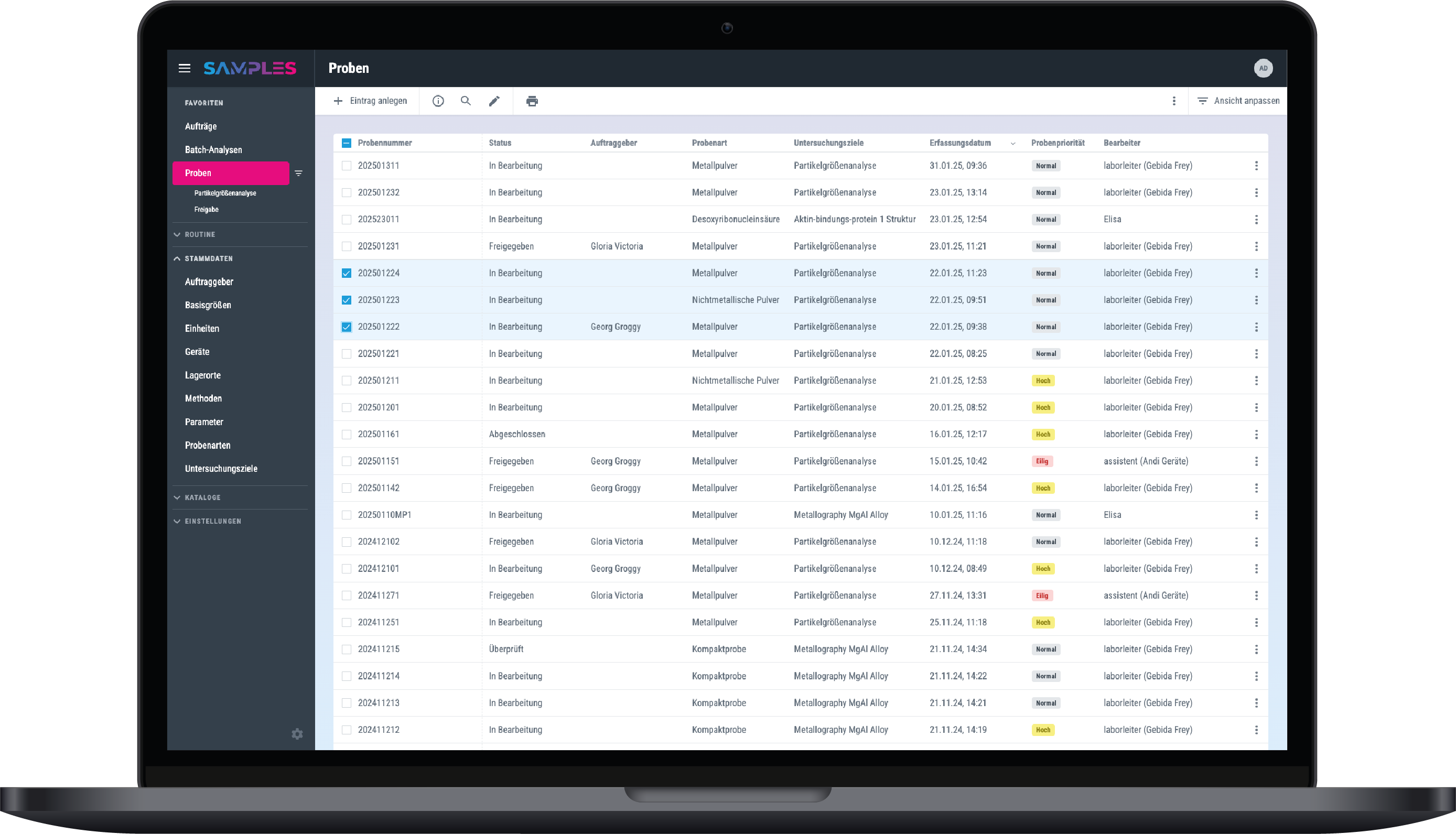
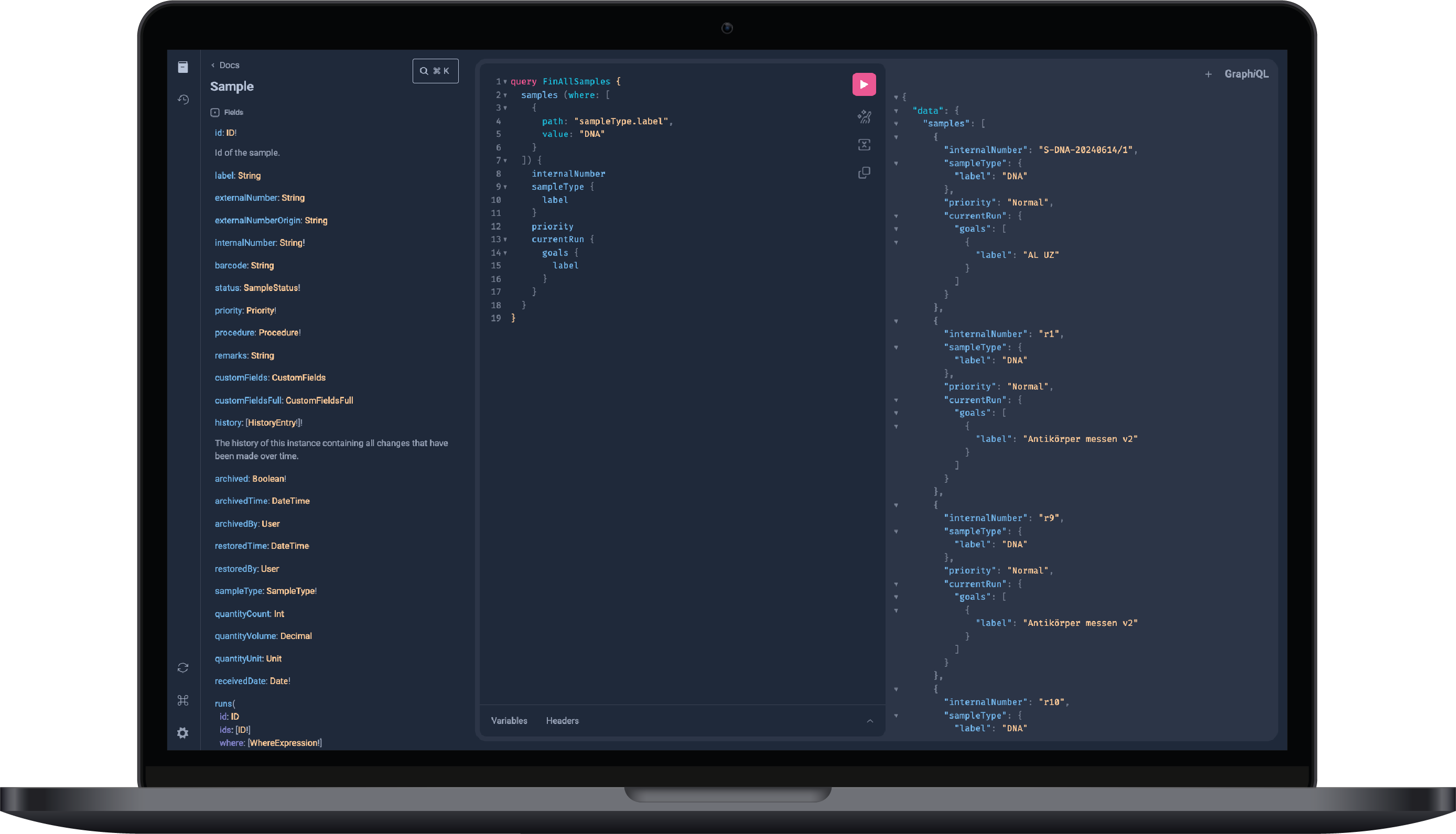
- High level of integrability thanks to GraphQL
- Unimagined automation potential
- Expandable as required
- Realization of high-performance interfaces
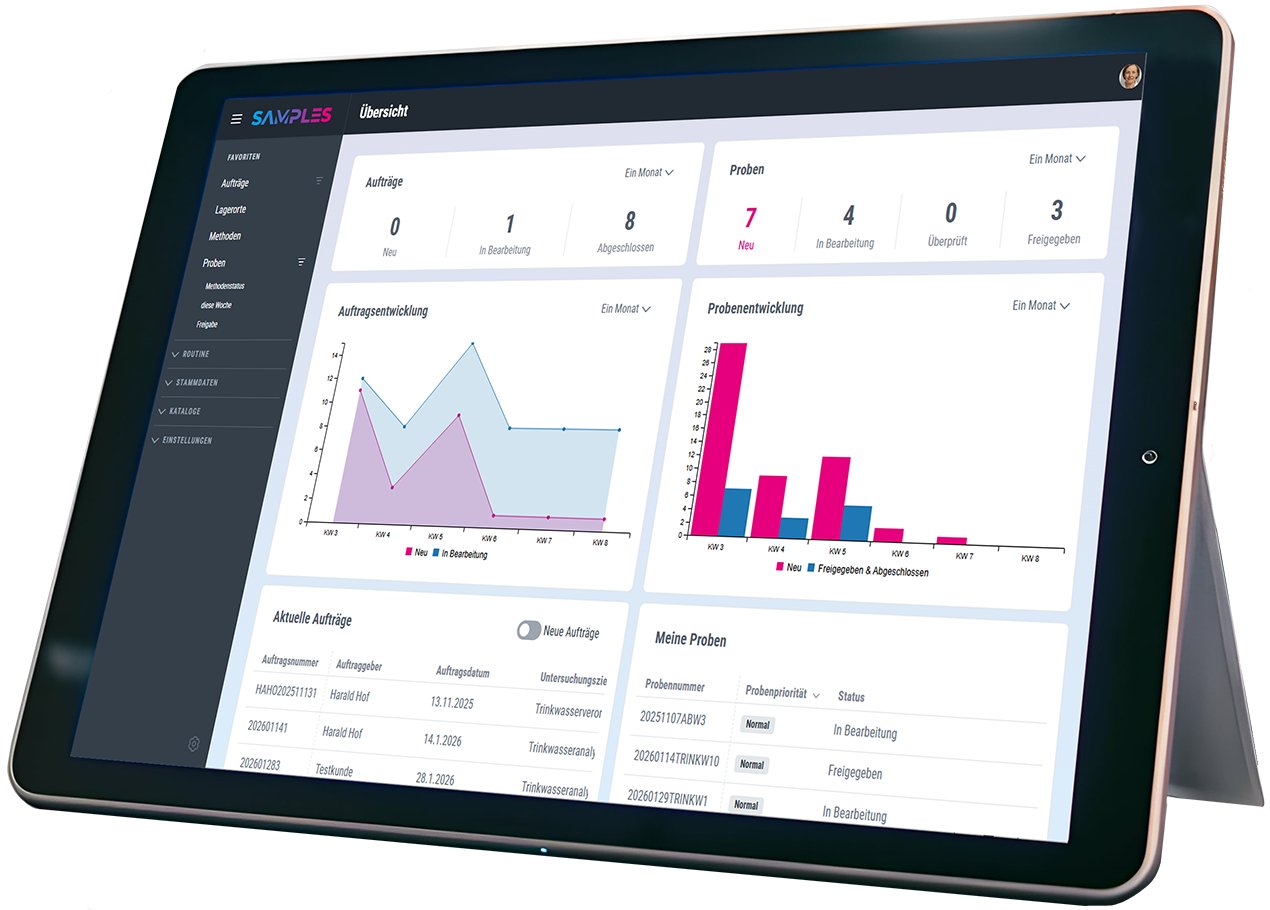
Experience & test SAMPLES now!
We invite you to experience the award-winning SAMPLES in a compact live demo. If you are interested, you can also test SAMPLES free of charge and without obligation. We look forward to your registration.
Test SAMPLES free of charge
Would you like to get to know SAMPLES without obligation? We will be happy to provide you with a test system with the full range of functions.
Simply use the form below to try out the many possibilities of SAMPLES for yourself, free of charge and without obligation.
As soon as we have received and processed your request, we will contact you immediately to briefly discuss the desired use case for the configuration with you and thus guarantee you an optimal test process. As SAMPLES is a web app, you do not need to install anything on your device.
- Free test system with full range of functions
- Immediate provision after configuration coordination
- No installation on the end device necessary (web app)
- No credit card details required
- Usually preconfigured for your application
- Preloaded test data
- Your data will be securely deleted after expiry